ai is not that hard.
ai is this simple.
go to claude.ai.
create a new account. somehow, you have to verify your phone.
look at the box where you type. bottom-right corner.
it shows a model, like “Sonnet 4.6” (free) or “Opus 4.8” (paid).
you want the nice and smart ai instead of the free one.
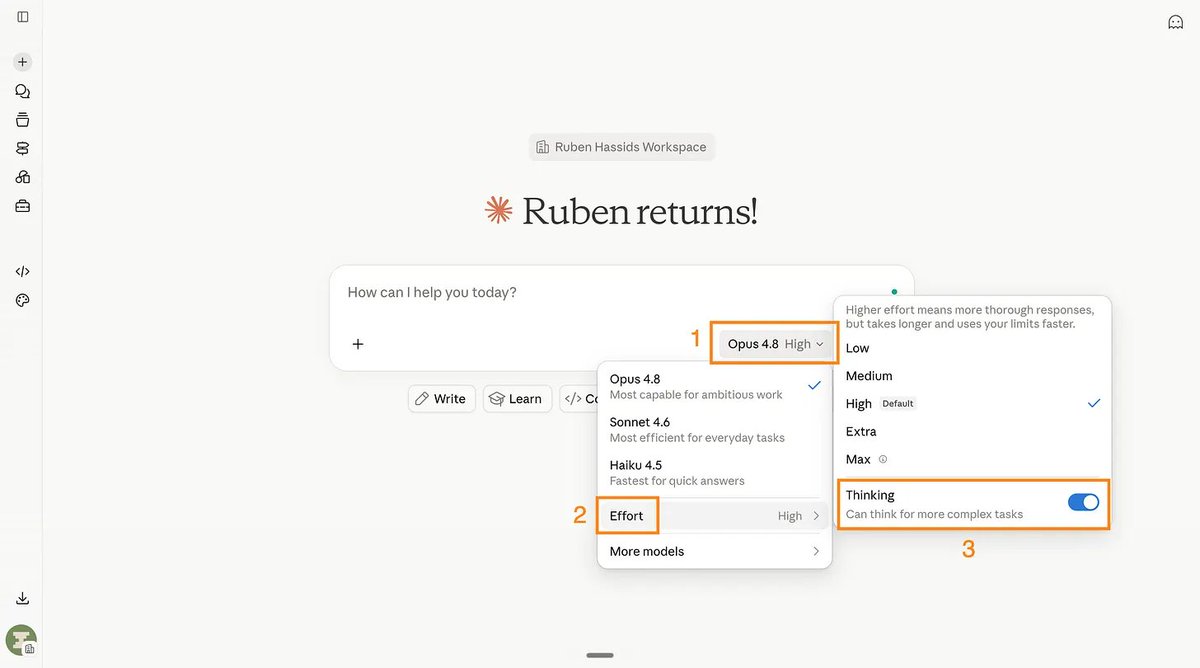
pick Opus 4.8. set the thinking level to High. turn on “Thinking”.
it looks like this:
now the infamous “prompt”… suspenseful music
you do NOT need to know how to prompt “like an engineer”.
the trick is a tool few use, called AskUserQuestion.
basically claude asks YOU the questions, instead of you prompting it (badly).
so go for something like: “Help me do [X] for [Y]. Use AskUserQuestion first.”
you just click on the answer, or type it in the “Something else” box.
it usually has 3-5 questions, the more you say, the better the answer after.
sometimes you want to go pro, like “give me 3 different strategies”
and claude gives you this nice little design for 3 answers:
that one line, “ask me questions first,” makes you a power user
write it on your hand. and brag about being a prompt engineer.
you’re already using ai better than 99.9% of the population.
> that was level 1.
> now level 2. talk to your computer.
you can use another ai to write by talking to your computer.
yes, you talk 4x faster than you type. and if you’re my mom, 400x faster.
typing on your computer is so 2024. the future is now, old man.
i like using wispr flow, it’s a free tool, ai, you talk and the computer writes.
it looks and sounds like this:
you are not faster at using a computer, with ai.
> now level 3. you need claude’s app now.
download the app here: claude.com/download
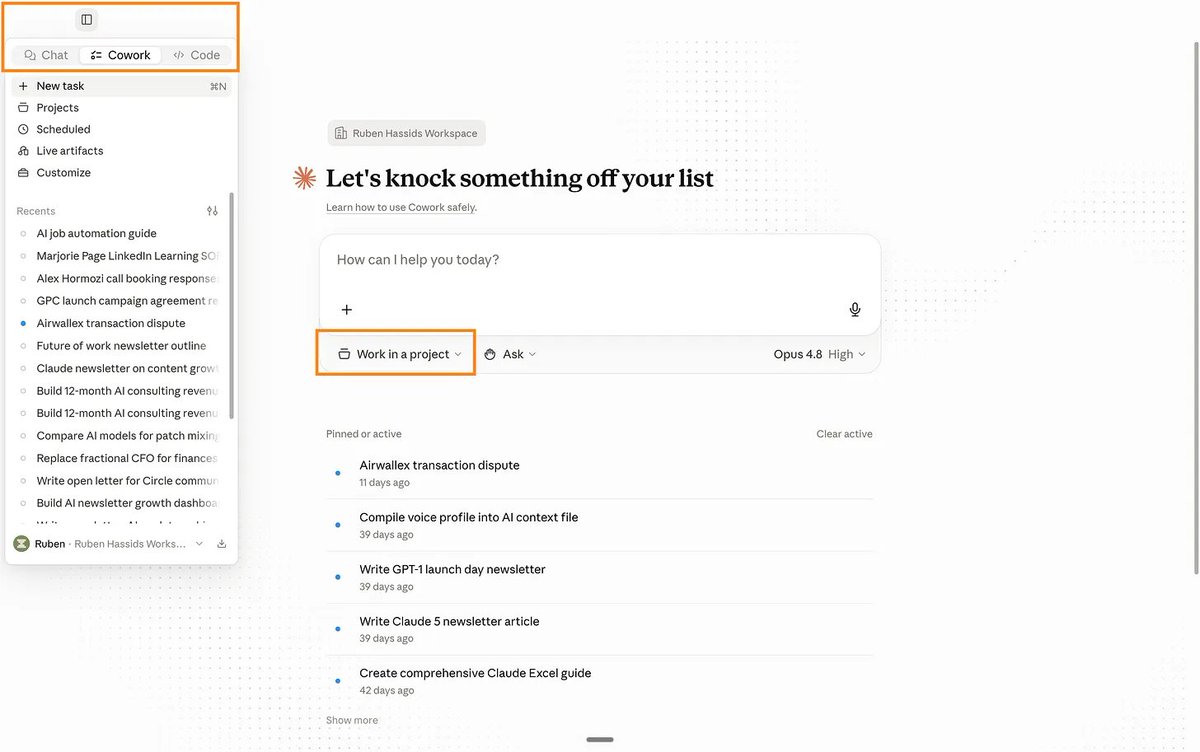
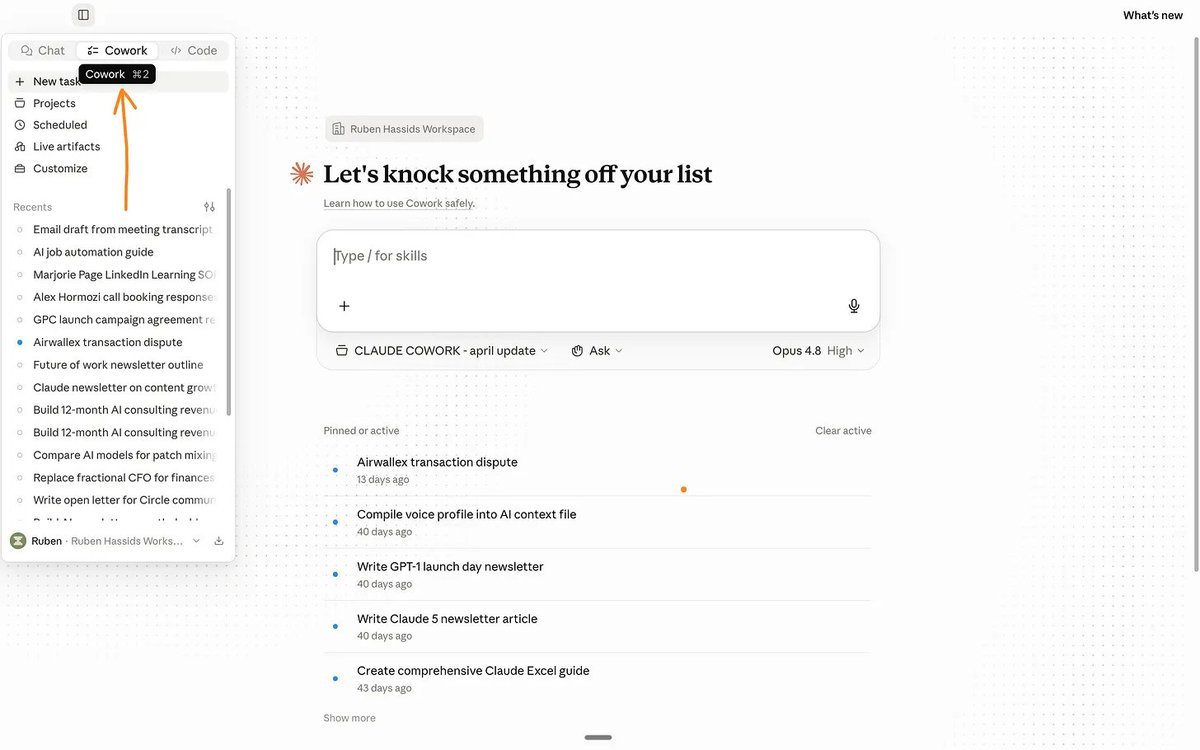
open it. click the “cowork” tab. it’s at the top next to chat.
in the browser, claude answe.. you copy-paste the results.
claude cowork is different.
it makes the actual file and saves it on your computer.
the real PDF. the real spreadsheet. sitting in your folder.
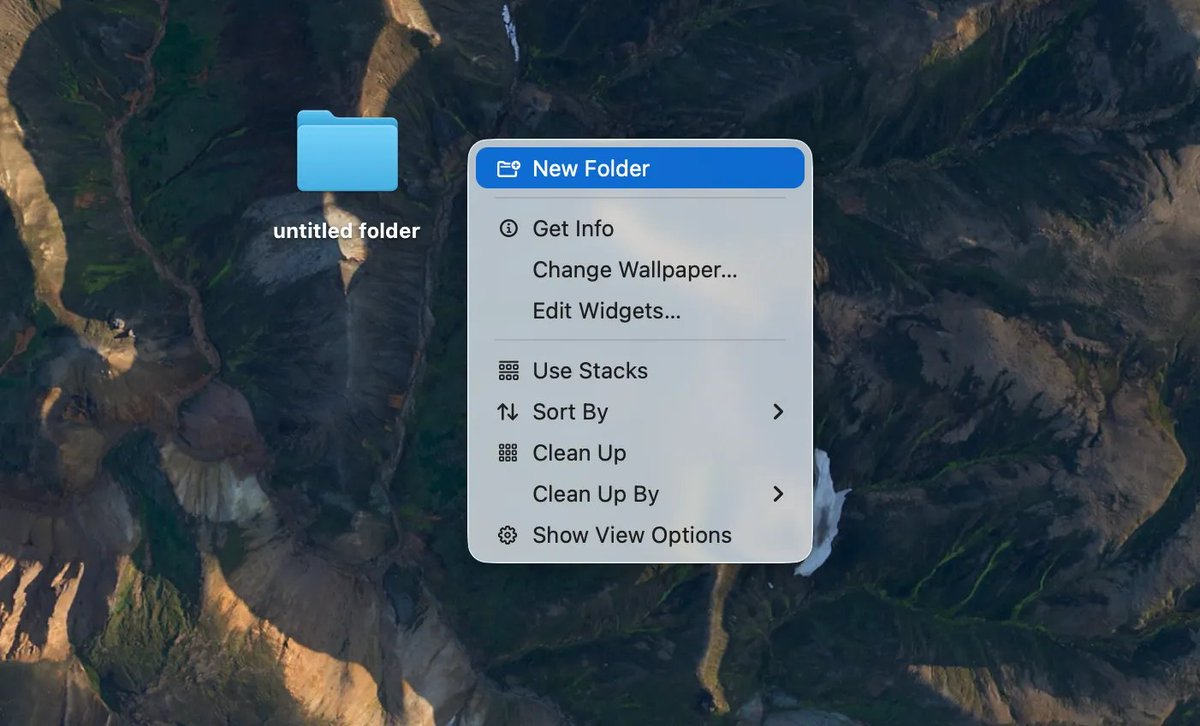
so make one folder on your computer. call it “cowork.”
i can’t believe i’m explaining this, but go to your computer’s homepage and do a right click to ��create a folder” that’s how you create a folder, like:
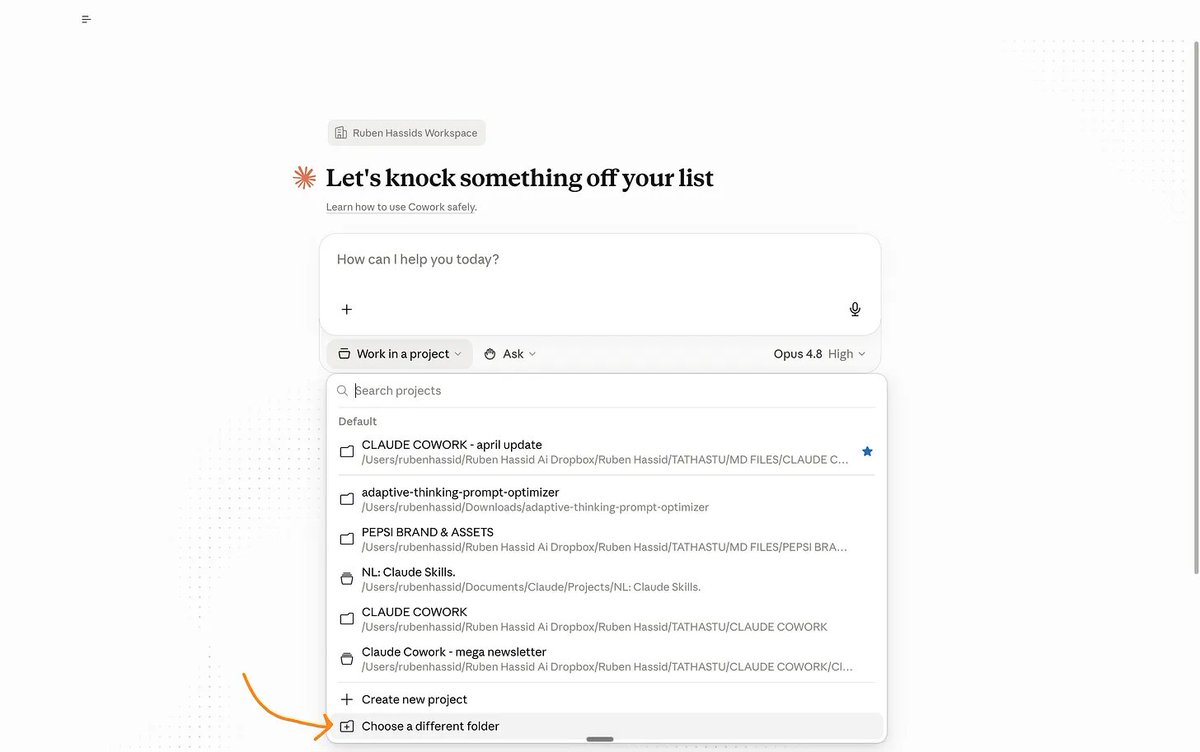
select it inside cowork. claude can read everything inside it now.
ok. stop here. take a breath. how do you “select it”?
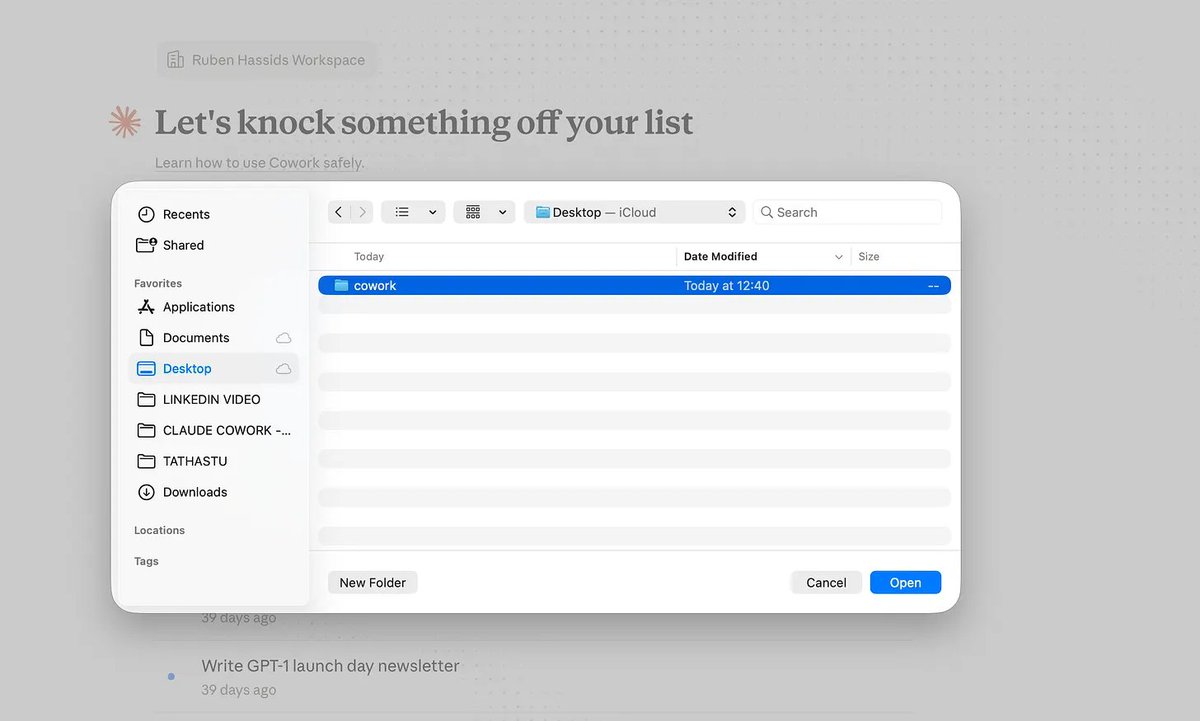
drag it into cowork. claude reads everything inside it now.
drop in a messy doc, an old proposal, last month’s numbers. anything.
now use the trick again:
“build a spreadsheets to do [x]. but ask me what you need first.”
3 minutes later, a clean Excel file. in your computer.
but wait, there is more.
> level 4. connect your apps.
i can safely say after this level, you are the top 0.000000000001% of the world
actually no, that’s less than one person, we need to make more kids, guys
left sidebar, click “customize,” then “connectors.”
it will connect your claude to your app, like gmail / calendar / notetakers.
connect gmail. connect your calendar. connect your meeting notes (granola, otter, whatever) - shockers, i know
it will ask you if you want to connect your apps.
say yes to everything.
test it by going super hacker mode and prompt something like:
ai just needs context. it needs to know you. it’s simple.
> level 5. you can train claude on new skills.
now go to the left side bar, and find “customize”, find “skills”
skills are playbooks claude runs on its own when the task fits.
wait, it sounds too technical
skills are premade stuff claude knows before answering.
like an employee who knows the standard procedure to do [X].
so first, we need to create a skill before using a skill.
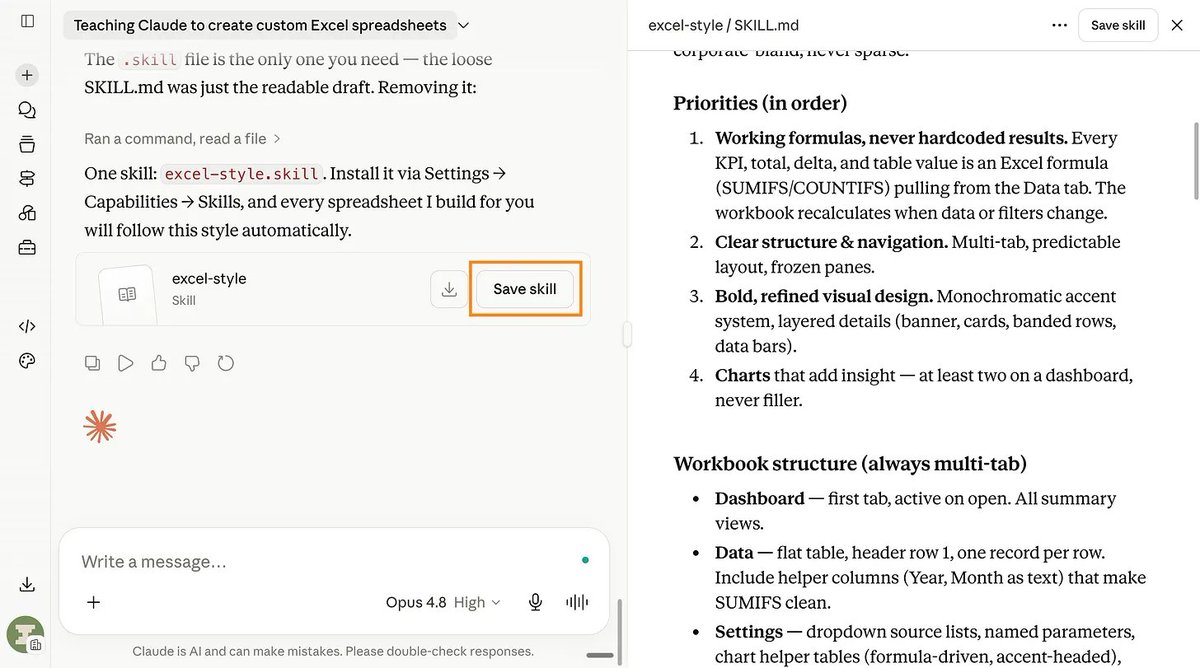
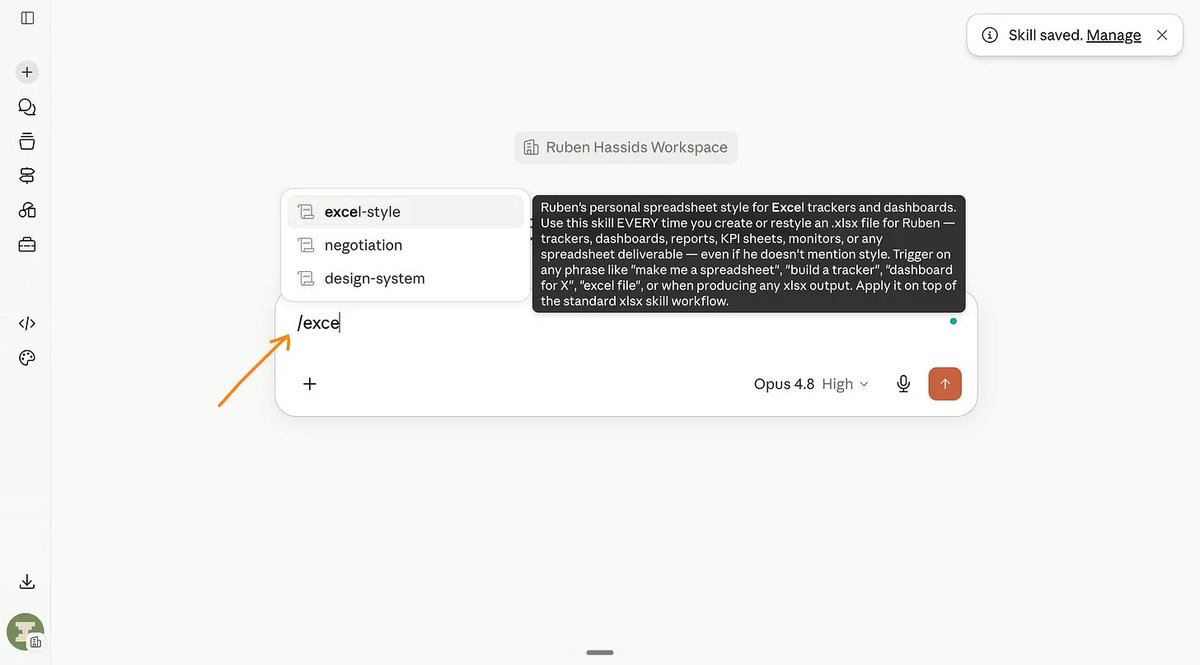
turns out… claude made a skill… to create skills… called /skill-creator
now just say what you need as a skill, like for example:
“i want to teach claude how to make excel spreadsheets the way i love them.”
and add “but ask me questions first” at the end.
you answer the questions to the ai so the ai is better at being a good ai.
once you’re done, it will ask you something like this:
you gave claude skills, and you can share them with your team.
> final boss. coding.
you don’t know how to code. me neither. but you can do cool stuff now.
you can make a real website. or app. tonight. yourself. using English.
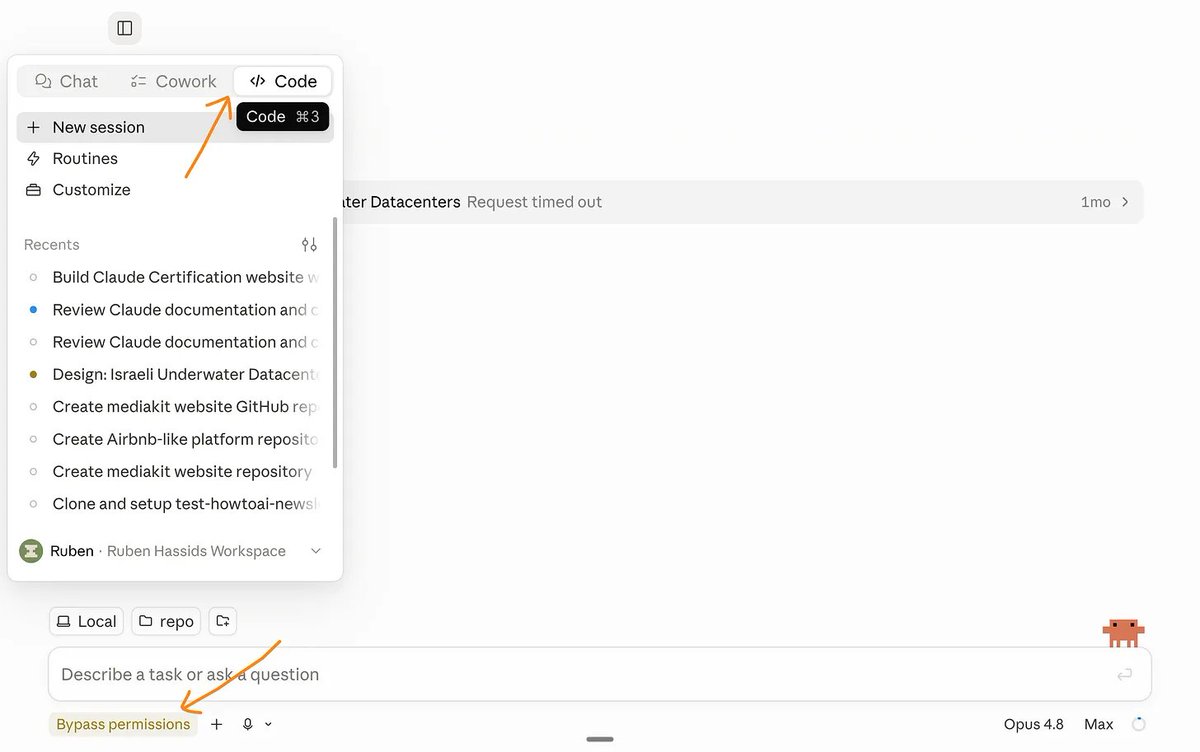
in the app, open claude code (the </> tab in the left sidebar).
turn on the mode that stops it asking permission for every step.
(it’s the scary one. bypass permissions. all it means is “go. i trust you.”)
same trick:
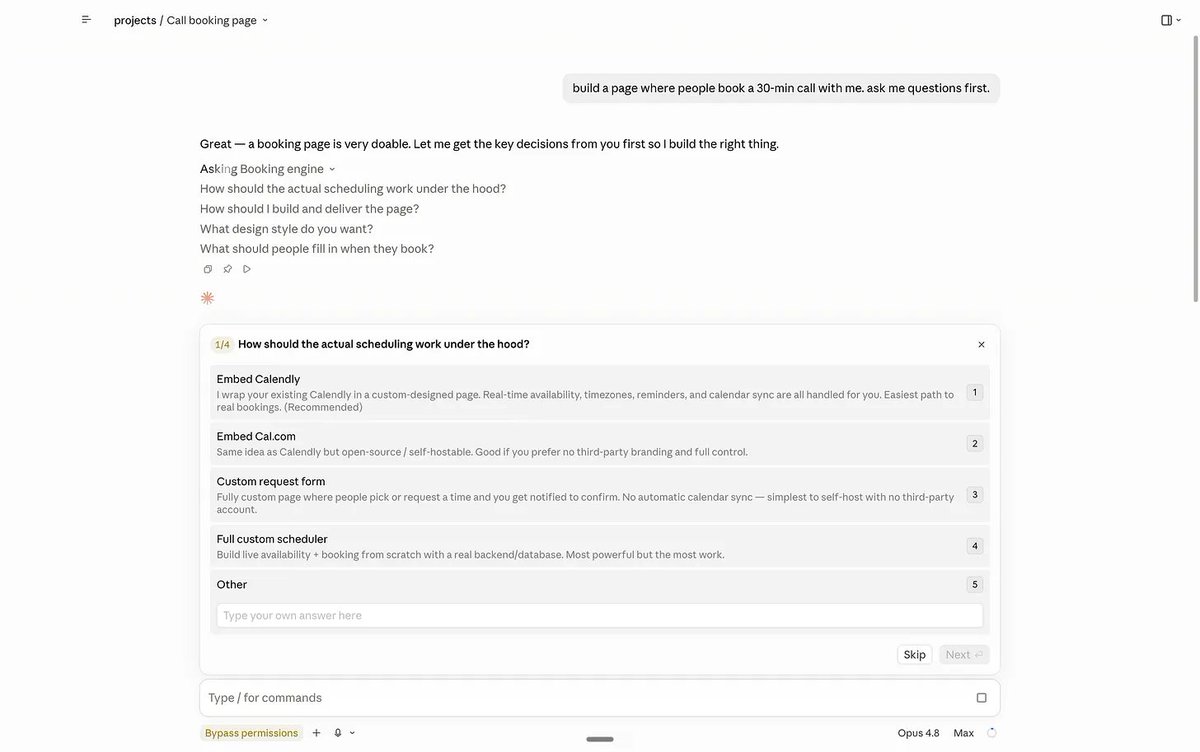
“build a page where people book a 30-min call with me. ask me questions first.”
the AskUserQuestion box pops:
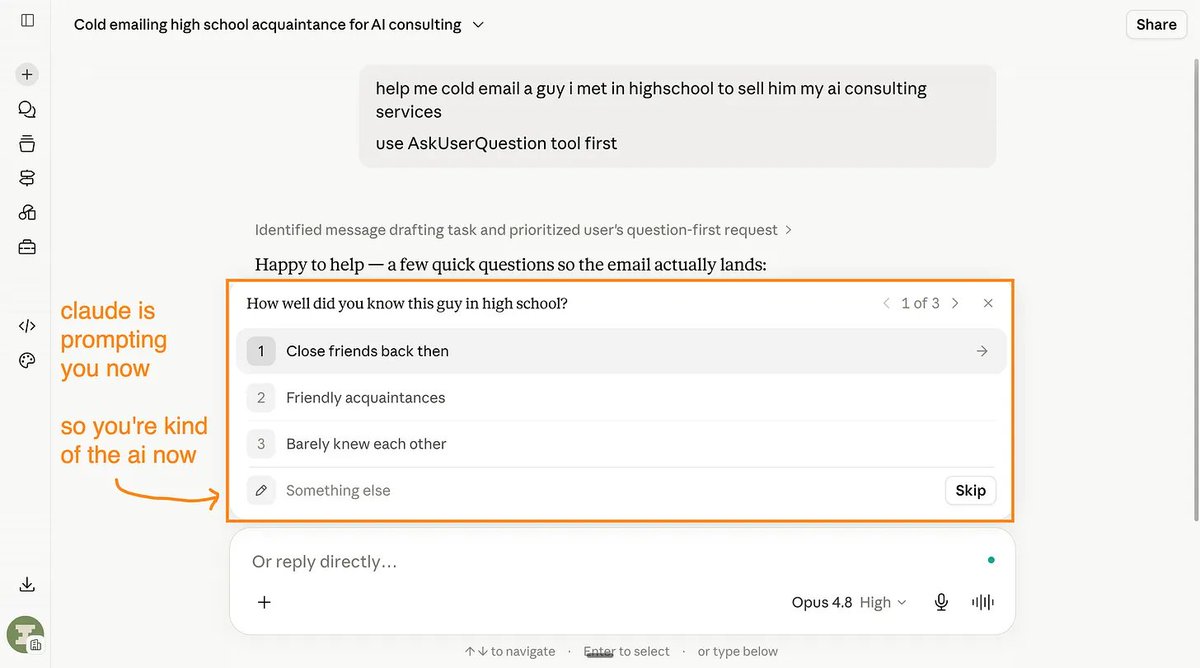
“dark mode?” click. “bookings to gmail or calendly?” click.
then it builds. the form, the buttons, all of it.
4 minutes later: “done. open this.” you open it. it works. magic.
want it on your phone? “make this an app i can put on my phone. ask me first.”
being good at ai is stupidly simple.
you asked claude to ask you questions, then clicked the answers.
most people i meet say “i’m so behind” but they never even tried.
the bar to knowing is trying. how low is that?
i dropped out of university. i can’t code. i now build things for enterprises.
so open this article on my substack. open claude. start at level 1.
tonight. not tomorrow. tonight.
A message from the author, Ruben.
This article exists because 84,000+ people decided AI is too important to leave aside. Not only that, but they shared it around them. They understand they are the sum of the 5 people around them. So better have them using AI.
If this helped you — or if it’ll help someone you know — forward it to them. That’s how this grew. Just readers like you sending it to people like them.
And if you're new here, follow me on X →@rubenhassid (also free!)